QR Code Generator Features: Update, Track, and Brand Your Codes
Build QR codes for print, packaging, and campaigns. Change the destination, track every scan, and brand each code with your own domain and logo.
Create & manage
Create and manage QR codes
Go from idea to scannable QR code in seconds. Choose between dynamic and static codes, create them one at a time or thousands at once, and download in any format you need.
Dynamic & static QR codes
Dynamic codes let you change the destination after printing. Static codes work forever without a server.
16 QR code types
URL, vCard, Wi-Fi, PDF, app store, email, SMS, phone, location, and more. One platform covers every use case.
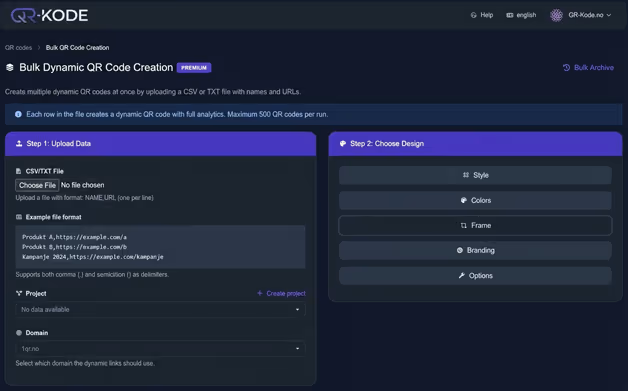
Bulk creation
Upload a spreadsheet and create hundreds of unique QR codes at once. Each code gets its own destination.
SVG, EPS, PNG & JPG
Download QR codes in vector or raster formats. SVG and EPS scale to any size without losing quality.
Bulk download
Download all your QR codes in a single ZIP file. Perfect when you need to hand off files to a print shop.
Digital business cards
Share contact details with a single scan. Recipients save your info directly to their phone contacts.
Dynamic short links
Every dynamic QR code includes a short link you can share in emails, social media, or print materials.
Custom URL alias
Replace random characters with a readable slug. Your short links become memorable and brand-friendly.
Tracking & analytics
QR code tracking and analytics
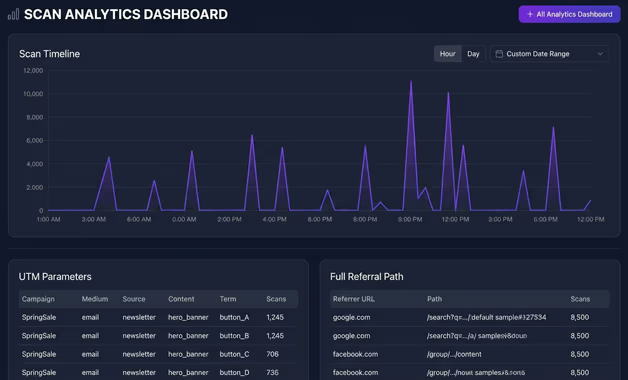
See who scans your QR codes, where they are, and what device they use. Make decisions based on real data, not guesswork.
Advanced analytics
Track scans by location, device, browser, and time of day. See exactly how your QR codes perform.
UTM parameters
Add UTM tags to your QR code links. Track campaigns directly in Google Analytics or your preferred tool.
Data export
Export scan data as CSV, JSON, or PDF. Use the data in your own reports, dashboards, or presentations.
Analytics data storage
Your scan data is stored for 1 to 5 years depending on your plan. Access historical data whenever you need it.
Branding & design
Brand your QR codes and landing pages
Make every touchpoint look like your brand. Add your logo, colors, fonts, and custom domain so your audience sees your company, not ours.
Custom domain
Use your own domain for QR code short links. Your audience sees your brand in the URL, not a third-party domain.
Logo & color customization
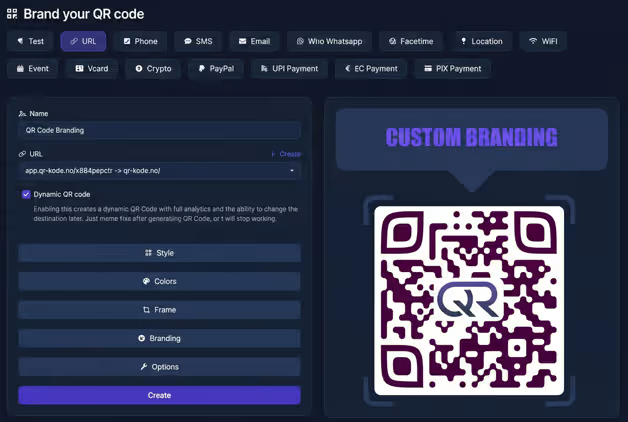
Add your logo to the center of QR codes and match your brand colors. Every scan reinforces your identity.
White label
Remove all QR-Kode.no branding from your pages and links. Your customers only see your company.
Custom CSS & JavaScript
Inject your own stylesheets and scripts into landing pages. Full control over look and behavior.
Custom fonts
Use your own brand fonts on landing pages and BioLink pages. Consistent typography across all touchpoints.
Remove branding logo
Hide the QR-Kode.no logo from your QR code landing pages for a fully branded experience.
Pages & content
Landing pages and content tools
Build pages that load when someone scans your QR code. BioLink pages, splash screens, and full web pages, all without writing code.
BioLink pages
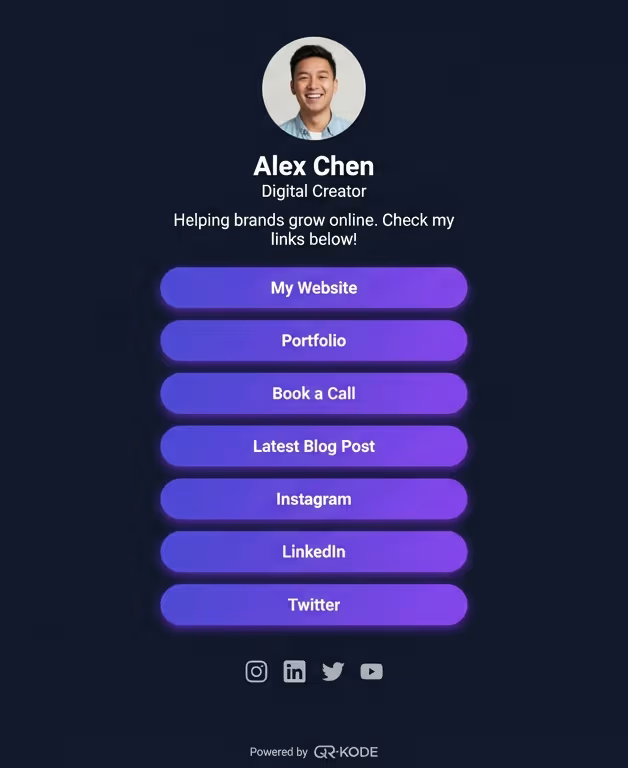
Create a single page with all your important links. Share it via QR code, social media, or email signature.
Splash pages
Show a branded message before redirecting. Promote offers, collect consent, or display a countdown timer.
Email signatures
Generate HTML email signatures with a QR code. Recipients scan to save your contact details instantly.
Static web pages
Build simple, standalone web pages hosted on your domain. No separate hosting or CMS required.
SEO title & meta
Set custom page titles and meta descriptions for your landing pages. Control how they appear in search results.
Leap Link
A micro landing page that appears for a few seconds before redirecting. Show your brand, then send visitors to the destination.
Smart links
Smart link routing and control
Send scanners to different destinations based on their device, location, or language. Add passwords, schedules, and deep links to control every scan.
Deep links
Link directly into a specific screen inside a mobile app. Skip the homepage and take users where they need to go.
Password protection
Require a password before the destination loads. Restrict access to internal documents, events, or exclusive content.
Time-controlled links
Set start and end dates for your QR code links. Run limited-time campaigns that activate and expire automatically.
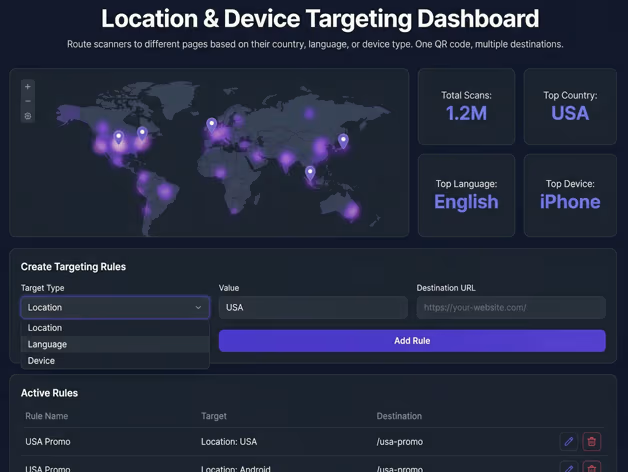
Location & device targeting
Route scanners to different pages based on their country, language, or device type. One QR code, multiple destinations.
URL cloaking
Keep your branded short URL visible in the browser address bar instead of revealing the final destination URL.
Auto app open
Automatically open the target app if it is installed on the scanner phone. Falls back to the web if the app is missing.
Sensitive content warning
Display a warning page before visitors reach the destination. Useful for age-restricted or explicit content.
Team & integrations
Team collaboration and API access
Work together on QR code campaigns. Organize codes in projects, invite team members, and connect your existing tools through the REST API.
Projects
Group QR codes by campaign, client, or department. Keep everything organized as your library grows.
Team & extra users
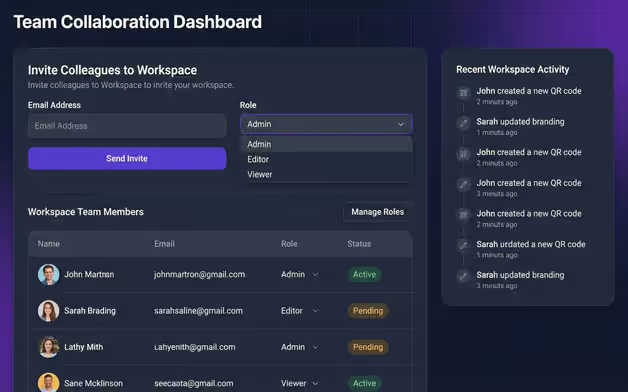
Invite colleagues to your workspace. Everyone shares the same QR codes, analytics, and settings.
REST API
Create, update, and manage QR codes programmatically. Integrate QR code generation into your own apps and workflows.
Single Sign-On (SSO)
Log in with your company identity provider. One set of credentials for your team, managed by your IT department.
SLA & dedicated contact
Enterprise plans include a service level agreement and a dedicated account manager who knows your setup.
Invoice billing
Pay by invoice instead of credit card. Available for Enterprise customers who need purchase order workflows.
AI tools
AI-powered content tools
Generate documents, images, and audio directly inside the platform. Create marketing materials, product descriptions, and voice content without leaving QR-Kode.no.
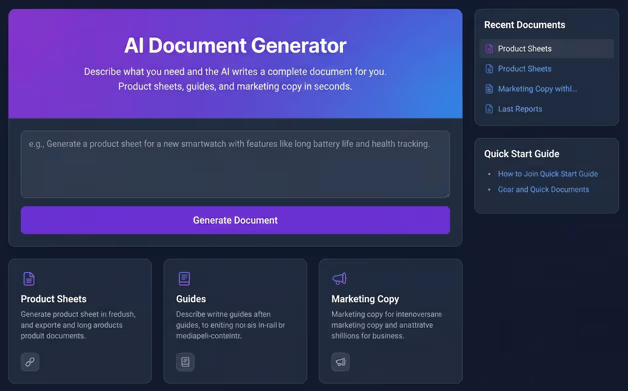
AI document generator
Describe what you need and the AI writes a complete document for you. Product sheets, guides, and marketing copy in seconds.
AI image generator
Generate custom images from a text prompt. Use them on landing pages, BioLink pages, or anywhere you need visuals.
AI text-to-speech & speech-to-text
Convert written text to natural-sounding audio, or transcribe spoken audio to text. Add voice content to your QR code campaigns.
Plans
Find the right plan for you
All features are available across our plans. Compare what is included in each plan on the pricing page.
Your first QR code takes less than two minutes
Start with a free account and see every QR code feature live. No credit card needed to get started.
No credit card required. Free forever on the Free plan.